
Making your docs legible to the machines that now read them
A growing share of the traffic hitting your documentation isn’t human. It’s coding agents fetching, parsing, and reasoning over your content — and most developer portals are quietly failing them in ways no analytics dashboard will ever show you.
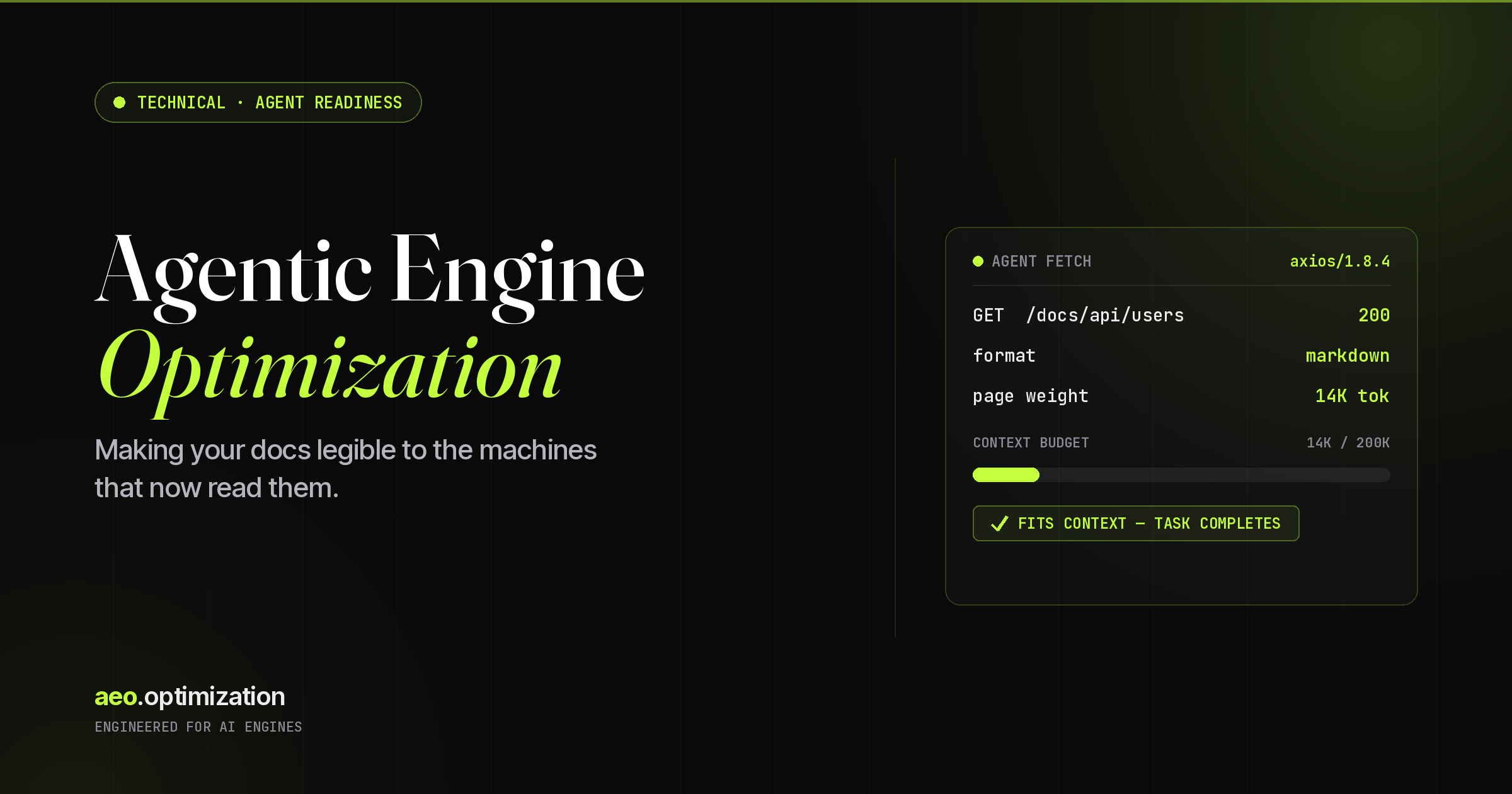
Here’s a scene that plays out thousands of times a day and leaves no trace. An engineer opens Claude Code, describes a feature, and hits enter. The agent reaches for your documentation, issues a single request, strips the HTML, counts the tokens, and then makes a decision you never see: use the content as context, or silently throw it away because it’s too long, too messy, or blocked by a misconfigured rule.
Your analytics recorded nothing. Scroll depth: zero. Time on page: 400 milliseconds. No tutorial completions, no console runs, no link clicks. But the agent was absolutely there. It read your docs — and depending on how those docs were built, it either shipped a correct implementation or hallucinated one. I’ve started calling the discipline that fixes this Agentic Engine Optimization.
What Agentic Engine Optimization actually is
Agentic Engine Optimization is the practice of structuring, formatting, and serving technical content so that AI coding agents can reliably find it, fit it inside their context window, and act on it correctly — not just so human readers can skim it.
The analogy I keep returning to is SEO. We spent fifteen years learning to write for crawlers and click patterns. This is the same lesson aimed at a different consumer: autonomous agents that fetch, parse, and reason over your content with no human moderating the read. The signals that matter are specific and unglamorous:
- Discoverability — can an agent locate the right page without rendering JavaScript?
- Parsability — is the content machine-readable without interpreting a visual layout?
- Token efficiency — does it fit inside a typical context window without truncation?
- Capability signaling — does the doc say what your API does, not just how to call it?
- Access control — does your
robots.txtactually let agent traffic through?
Miss any one of these and the agent either skips your content or produces something subtly wrong. The cruel part: you’ll almost never find out, because no event fires when an agent gives up on you.
Two AEOs, and why I run both
If you’ve read anything else on this site, you know I use “AEO” to mean Answer Engine Optimization — getting your brand cited inside ChatGPT, Claude, Perplexity, and Gemini answers. So let me address the collision directly, because it’s not an accident. There are now two disciplines sharing the acronym, and they’re siblings, not rivals.
| Dimension | Answer Engine Optimization | Agentic Engine Optimization |
|---|---|---|
| The consumer | An AI engine answering a person’s question | An AI coding agent executing a developer’s task |
| The goal | Get cited in the answer | Get read, fit in context, and acted on correctly |
| The surface | Chat answers, AI Overviews, summaries | Docs, CLIs, MCP servers, skill files |
| Primary content | Marketing pages, guides, comparisons | API references, quickstarts, schemas |
| Failure mode | Your competitor gets quoted instead | The agent hallucinates against your API |
| Win condition | Brand mentioned and linked | Task completes on the first try |
These two disciplines are converging fast, and the overlap is the whole point. Markdown-first, token-aware, definitionally clear content wins citations from answer engines and successful task completions from coding agents. Build for one well and you’ve largely built for the other. That’s why I treat them as one practice under the same roof.
How agents read docs nothing like humans do
The behavioral gap is wider than I expected when I started measuring it. A human lands on your docs home, navigates to a section, skims headings, reads a few paragraphs, maybe runs a sample in your interactive console, follows two or three internal links, and spends four to eight minutes in session. Every step is captured client-side.
An agent does none of that. It compresses your entire navigation hierarchy into one or two HTTP requests, receives the full page server-side, and moves on. The concept of a “user journey” collapses into a single event your client-side analytics can’t see.
| What you measure | Human developer | Coding agent |
|---|---|---|
| Pages per visit | 5–15 navigated clicks | 1–2 server-side GETs |
| Time on page | 4–8 minutes | Milliseconds |
| Scroll depth | Tracked, variable | Not applicable |
| Reads the layout? | Yes — visual hierarchy guides them | No — parses raw text structure |
| JavaScript rendered? | Always | Often not |
| Analytics events fired | Dozens | Effectively none |
Research that analyzed server traffic from nine major coding agents — including Claude Code, Cursor, Cline, Aider, VS Code, and JetBrains’ Junie — found each leaves a distinct fingerprint in your logs. Once you know the signatures, you can segment agent traffic out of the noise. I was surprised how much of it was already sitting in mine.
| Agent | HTTP runtime | Log signature |
|---|---|---|
| Aider | Headless Chromium (Playwright) | Full Mozilla/Safari UA |
| Claude Code | Node.js / Axios | axios/1.8.4 |
| Cline | curl + OpenAPI sweep | curl/8.4.0 |
| Cursor | Node.js / got | got (sindresorhus/got) |
| Junie | curl, sequential GET | curl/8.4.0 |
| OpenCode | Headless Chromium (Playwright) | Full Mozilla/Safari UA |
| VS Code | Electron / Chromium | Chromium + Electron markers |
| Windsurf | Go / Colly | colly |
Beyond the coding tools, the consumer assistants — ChatGPT, Claude, Gemini, Perplexity — generate their own fetch signatures whenever a user pastes a URL into chat. All of it is server-side. None of it shows up in the funnels you’ve spent years tuning.
The token wall: how docs go invisible without erroring
This is the most underappreciated piece of the whole picture, so I’ll state it plainly: token count is now a first-class documentation metric. Agents don’t have infinite context. Most operate with a practical ceiling between 100K and 200K tokens, and they’re managing that budget against everything else in the task — your code, the conversation, the plan.
When an agent hits a page that’s too long, every available outcome is bad:
- It truncates silently, cutting the part that mattered.
- It skips the page in favor of a shorter source — possibly a competitor’s.
- It attempts chunking, adding latency and a new surface for errors.
- It falls back to parametric memory — in other words, it makes something up.
The canonical horror story is a single REST API quick-start guide weighing in around 193,000 tokens — close to three-quarters of a million characters. That one document threatens to consume an agent’s entire usable window before it has read anything else. If you’re not tracking token counts per page, you’re blind to a signal agents use to decide whether to even attempt a read.
Practical token targets
Here’s the rough guide I work from. Treat these as ceilings, not goals:
| Page type | Target ceiling | Strategy |
|---|---|---|
| Quick start / getting started | < 15K tokens | Everything needed for first success, nothing else |
| Individual API reference | < 25K tokens | One resource or endpoint per page |
| Conceptual guide | < 20K tokens | Link to detail rather than embedding it |
| Full API reference | Chunk it | Split by resource, never one giant page |
The cheapest, highest-leverage thing most teams can do this quarter isn’t writing more — it’s splitting what they already have. Take your three heaviest pages, measure their token count, and break anything over 30K into resource-scoped pages. You’ll improve agent task success without producing a single new word.
The Agentic Engine Optimization stack
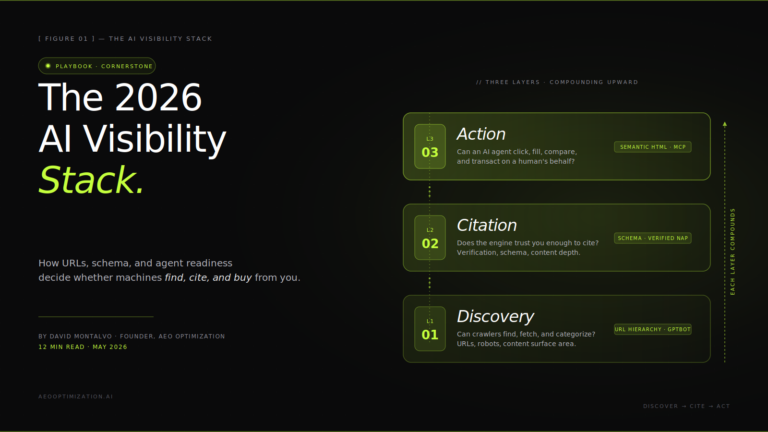
Agent readiness isn’t one switch. It’s a layered set of standards and signals, from foundation to surface. I think about it as a stack — each layer assumes the one beneath it is already working.
Layer 1 — Access control (robots.txt)
This is the agent’s first stop, and the most common silent failure I find in audits. A robots.txt that blocks AI user-agents — or a CDN that does it for you by default — denies agents access with no traffic, no error, and no indication anything is wrong. Cloudflare’s AI-blocking toggles have flipped this on for millions of sites that never opted in deliberately.
- Audit
robots.txtfor unintended disallows on AI user-agents. - Check your CDN (Cloudflare, Fastly, Akamai) for “block AI scrapers” rules.
- Verify each major bot can actually fetch your priority pages by reading server logs, not by guessing.
Layer 2 — Discovery via llms.txt
Even with access, the agent still has to find the right content. That’s what llms.txt is for: a flat, Markdown index hosted at yourdomain.com/llms.txt that hands agents a structured map of your docs, descriptions and all, so they don’t have to crawl the whole site to learn what matters. Think of it as a sitemap written for machines that read meaning, not link graphs.
# YourProduct Documentation

## Getting Started
- [Quick Start](/docs/quickstart): First API call in 5 minutes (8K tokens)
- [Authentication](/docs/auth): OAuth 2.0 and API-key patterns (11K tokens)

## API Reference
- [Users API](/docs/api/users): CRUD for user management (12K tokens)
- [Events API](/docs/api/events): Streaming and webhooks (8K tokens)

## MCP Integration
- [MCP Server](/docs/mcp): Direct agent integration
What separates a good llms.txt from a useless one:
- Descriptions that say what the agent will find, not just the page title.
- Token counts per page, so the agent can budget before it fetches.
- Organized by task, not by your internal product hierarchy.
- Kept under ~5K tokens itself — the index shouldn’t blow the budget just by existing.
Layer 3 — Capability signaling via skill.md
If llms.txt tells agents where things are, a skill file tells them what your product can do. This distinction matters more than it first appears. Instead of forcing an agent to infer capabilities from prose, a skill.md declares them — mapping intentions to endpoints, inputs, and constraints, in the same family as the Model Context Protocol ecosystem agents already speak.
---
name: auth-service
description: OAuth 2.0 flows, tokens, and session management
---

## What I can do
- Authenticate via OAuth 2.0 (auth code, client credentials, PKCE)
- Issue and validate JWTs
- Rotate refresh tokens; manage sessions

## Required inputs
- Client ID + Secret, registered redirect URI, requested scopes

## Constraints
- 1,000 token requests / minute / app
- Access tokens 1hr; refresh tokens 30 days; PKCE for public clients

## Key docs
- [OAuth Guide](/docs/oauth) · [Token Reference](/docs/tokens)
This is what lets an agent decide whether your API can even satisfy the user’s intent before it spends context reading a full reference. That’s a faster, cheaper, more reliable decision than parsing paragraphs of marketing prose.
Layer 4 — Formatting for parsing
Even with perfect discovery, the content itself has to be cheap to parse:
- Serve Markdown, not just HTML. Many platforms let you append
.mdto a URL or pass a query parameter — make it discoverable. Markdown carries dramatically lower token overhead than HTML: no tag noise, no nav chrome, no footer cruft. - Structure for scanning. Consistent heading hierarchy (H1→H2→H3, no skipping), outcome stated before background, code examples directly under the claim they prove, and tables for parameter references because they compress better than prose.
- Kill the navigation noise. Sidebars, breadcrumbs, and footer links are pure noise once flattened to text. Keep them out of the parseable path.
- Front-load the useful stuff. The first 500 tokens of any page should answer: what is this, what can it do, what do I need to start. Agents have no patience for preamble.
Layer 5 — Token surfacing
Simpler than it sounds and surprisingly high-leverage: expose token counts on your pages. Put them in the llms.txt index and as page metadata. That single number lets an agent reason: “8K — include it fully,” “150K — fetch only the relevant section,” “over my window — use the summary instead.” Implementation is trivial: count characters server-side, divide by ~4 for a rough estimate, expose it as a meta tag or HTTP header.
Layer 6 — “Copy for AI”
More of a UX bridge than infrastructure, but worth shipping. When a developer wants to feed your docs to an assistant, they currently copy rendered HTML — nav, footer, and all. A Copy for AI button that drops clean Markdown onto the clipboard meaningfully improves the context the agent receives. Anthropic, Cloudflare, and others have already shipped variants. Low effort, high signal.
AGENTS.md: the emerging default
One layer deserves its own section because it’s consolidating faster than the rest. Just as README.md became the front door for human contributors, AGENTS.md is becoming the front door for agents. When a coding agent opens a project, it looks for this file in the root and pulls its instructions into every subsequent task.
It’s no longer a fringe convention. AGENTS.md is now stewarded as an open standard under the Linux Foundation’s Agentic AI Foundation, is read natively by tools across the ecosystem — Codex, Cursor, GitHub Copilot, Gemini CLI, Aider, Windsurf, and more — and sits in well over 60,000 repositories. A strong one includes:
- Project structure and key file locations.
- Direct links to the relevant API or service docs.
- Available sandboxes and test environments.
- Rate limits and constraints the agent should respect.
- Preferred patterns and conventions for the codebase.
- Links to any MCP servers you expose.
If you maintain a public SDK or API, an AGENTS.md in your starter template is one of the highest-ROI moves available. Every project scaffolded from your template inherits agent-ready context for free — which means agents complete tasks against your product correctly, recommend it more, and come back. That compounds.
Start watching for the traffic you can’t see
You can act on this today by building an AI traffic segment in your analytics. Two things to watch: referral sources from the assistants, and the raw HTTP fingerprints from the agents themselves.
| Watch for | Where it shows up |
|---|---|
| Assistant referrers | chatgpt.com, claude.ai/referral, perplexity, gemini.google.com/referral, copilot.microsoft.com/referral |
| Direct agent fetches | axios/1.8.4, curl/8.4.0, got, colly |
The fingerprints catch agents that arrive with no referrer at all — which is most of them. A proper segment gives you the leading indicator for whether any of this work is moving the needle. The Chrome team has even shipped an experimental Lighthouse check for llms.txt, which tells you the tooling world is starting to treat agent-readiness as measurable rather than mystical.
Most docs were built for a reader who’s leaving
Step back and this points at something larger than a checklist. For the web’s whole history, developer portals were designed around human cognition: progressive disclosure, visual hierarchy, interactive examples, guided tutorials. Every one of those assumes a human is in the loop at every step. In an agent-heavy world, those assumptions invert:
- Visual hierarchy is irrelevant — agents read text, not layouts.
- Progressive disclosure becomes an obstacle — agents want everything at once.
- Interactive examples lose value — unless there’s a static or API equivalent.
- User journeys collapse — a multi-chapter tutorial becomes a single context load.
This doesn’t kill human-centered design. Humans still read docs — but increasingly they read them inside an assistant’s context window, which makes the agent the proximate consumer even when a person is the ultimate beneficiary. The best documentation going forward serves both at once: scannable and structured for humans, machine-readable and token-efficient for agents. The good news, and I mean this, is that building for agents tends to make docs better for people too. The disciplines overlap far more than they diverge.
The agent-readiness audit
If I were evaluating a documentation site for agent-readiness today, this is what I’d check, grouped by layer.
Discovery
llms.txtexists at root with a structured, described index.robots.txtand CDN rules don’t inadvertently block AI user-agents.AGENTS.mdexists in code repos, linking to the relevant docs.
Content structure
- Pages available as clean Markdown, not only rendered HTML.
- Each page leads with a clear outcome in the first 200 words.
- Heading hierarchy is consistent and correct; code follows its description; parameters live in tables.
Token economics
- Token counts tracked per page and exposed in
llms.txtand page metadata. - No single page exceeds ~30K tokens without a chunking strategy.
Capability & measurement
skill.mddescribes what each service does — capabilities, inputs, constraints, links.- An MCP server exists for direct integration where it makes sense.
- AI referrers are segmented; server logs are monitored for known agent fingerprints; a human-vs-agent baseline is established.
Where to start this week
Looking at that list and wondering where to begin? This is the order I’d run it, fastest payoff first:
- Audit robots.txt and your CDN. Ten minutes. Prevents the silent lockout that wastes every other effort.
- Ship llms.txt. A few hours for immediate discoverability gains.
- Measure and surface token counts. A weekend project with outsized leverage.
- Write skill.md for your top three APIs. Start with whatever agents reach for most.
- Add Copy for AI buttons. Low effort, high signal.
- Stand up AI traffic monitoring. The data that justifies everything above.
SEO taught us that great content isn’t enough — you have to make it discoverable in the way that matters for the traffic patterns of the era. Agentic Engine Optimization is the same lesson for a new consumer. Coding agents are already a large and growing share of documentation traffic, they behave nothing like human readers, and most portals aren’t built for them yet. The teams that move early will own a quiet advantage: their APIs become the ones agents integrate successfully and recommend by default. Most of the work is a weekend. The payoff is already real.
Frequently asked questions
What is Agentic Engine Optimization?
Agentic Engine Optimization is the practice of structuring, formatting, and serving technical content so AI coding agents can find it, fit it in their context window, and act on it correctly. It applies SEO’s “optimize for the actual consumer” logic to autonomous agents that fetch and reason over docs without a human in the loop.
How is it different from Answer Engine Optimization?
Answer Engine Optimization aims to get your brand cited inside AI answers from ChatGPT, Claude, Perplexity, and Gemini. Agentic Engine Optimization aims to get your developer docs read and acted on by coding agents like Claude Code and Cursor. They share the AEO acronym and most of the same underlying techniques — clean structure, token efficiency, definitional clarity — which is why we run them as one practice.
Why don’t my analytics show agent traffic?
Agents fetch pages server-side in one or two HTTP requests and don’t execute the client-side JavaScript that fires analytics events. Scroll depth, time on page, and click tracking all read as zero or near-zero. You detect agents by segmenting AI referral sources and watching server logs for HTTP fingerprints like axios/1.8.4 and curl/8.4.0.
What is a good token limit for a documentation page?
As working ceilings: under 15K tokens for quick-start pages, under 25K for an individual API reference, under 20K for conceptual guides, and chunk any full API reference by resource rather than serving one monolithic page. Pages over ~30K tokens should have a chunking strategy.
Does llms.txt actually do anything yet?
Support is uneven — some tools parse it, others ignore it, and there’s no universal guarantee engines honor it. But it costs roughly thirty minutes to publish, the downside is near zero, and tooling like Chrome’s experimental Lighthouse check signals growing momentum. Ship it as cheap insurance, not a silver bullet.
What’s the single highest-leverage first step?
Audit your robots.txt and CDN bot rules. A misconfiguration there blocks agents silently, which makes every other optimization pointless. It’s ten minutes of work that protects everything else.
Work with us, or read further
If agent-readiness is on your roadmap, this is the kind of work we do every day. Start with how we engineer visibility across both answer engines and agents:
Written by David Montalvo at AEO Optimization. This piece reflects a practitioner’s view of how AI coding agents consume documentation; specific token figures and agent fingerprints are drawn from published research on coding-agent HTTP traffic and may shift as tools evolve.